
Search Knowledge Base by Keyword
This KB documentation is using Advanced Search, Links Editor and Elegant Layouts add-ons.
-
Echo Knowledge Base
-
Add-ons
-
Access Manager
Convert Posts and 3rd Party Documents
4.6 out Of 5 Stars
4 ratings
| 5 Stars | 75% | |
| 4 Stars | 0% | |
| 3 Stars | 25% | |
| 2 Stars | 0% | |
| 1 Stars | 0% |
WordPress posts and Custom Post Types (CPTs) can be converted into Knowledge Base articles using the tool described below. For information on importing a CSV file, see Export, Import and Migrate Articles.
Here are some of the posts and CPTs that you might want to convert:
-
-
- Blog posts
- bbPress
- WooCommerce Products
- Learn Press
- Learn Dash
- WP Knowledgebase
- Documents
- And more
-
Upload PDF documents to automatically extract their content and create new Knowledge Base articles, preserving the document's text and structure for easy publishing and management within your documentation site.
Conversion Steps
Step 1 Convert Posts or Custom Post Type
Go the KB Configuration page and either select to convert Posts (step 4) or convert CPTs (step 5).

Step 2 Begin Conversion Process
Before conversion can happen you first need to read the instructions on the "Begin" step. Also do the following:
- If converting Custom Post Types, you will see an option to select CPT to convert from. If you do not see your CPT in the list, please Contact Us.
- Confirm that you will convert the posts into the selected KB.
- Confirm that you read the instructions and backed up the database.
- Proceed to the next step.

Step 3 Select Posts to Convert
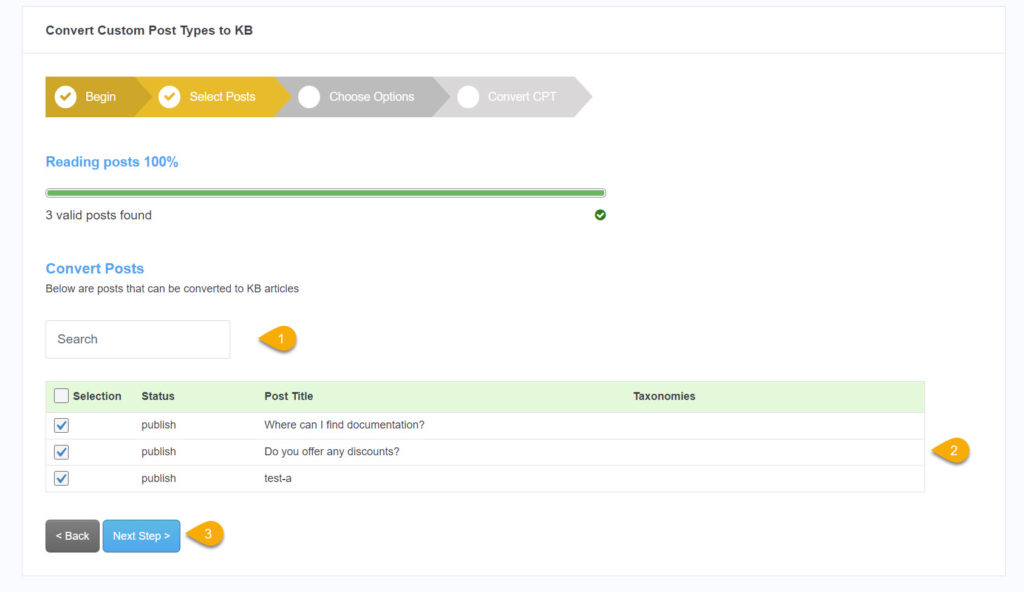
In this step, select posts to convert to KB articles:
- If converting only some posts, this search filter makes it easy to find those posts by their title.
- Each listed post can be selected or deselected.
- Proceed to the next step when ready.
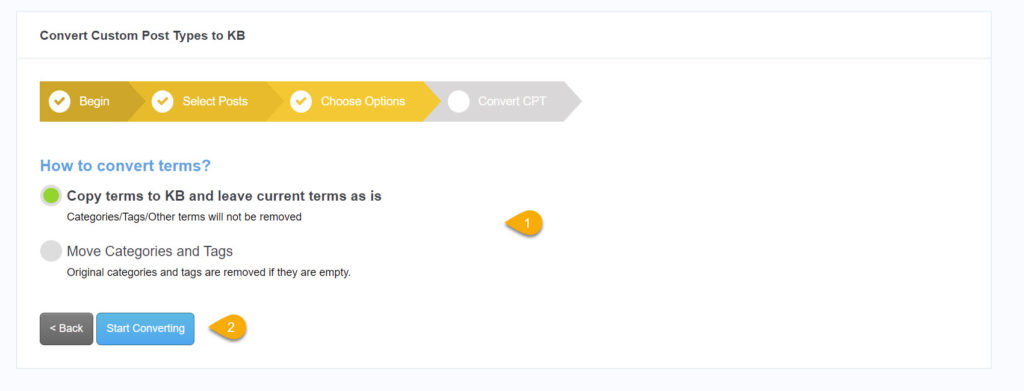
Step 4 Choose Convert Method
Select whether to copy or move terms from the original Post or a Custom Post Type. The next step will start the conversion of posts into KB Articles.
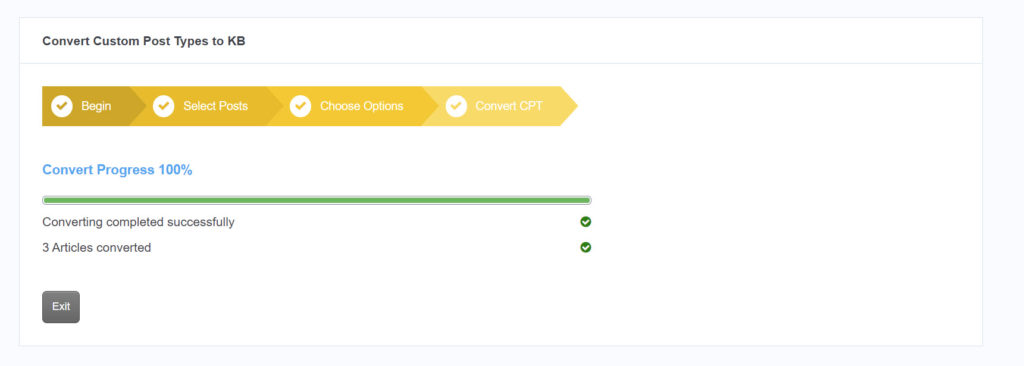
Step 5 Review Posts Conversion
The progress of the conversion is shown on the last step. Once complete, the number of converted posts is shown, or an error message is displayed.
Verify that the converted posts are shown in the Knowledge Base. Update the converted categories hierarchy if required.
4.6 out Of 5 Stars
4 ratings
| 5 Stars | 75% | |
| 4 Stars | 0% | |
| 3 Stars | 25% | |
| 2 Stars | 0% | |
| 1 Stars | 0% |