
Search Knowledge Base by Keyword
This KB documentation is using Advanced Search, Links Editor and Elegant Layouts add-ons.
-
Echo Knowledge Base
-
Add-ons
-
Access Manager
Analytics
0 out Of 5 Stars
| 5 Stars | 0% | |
| 4 Stars | 0% | |
| 3 Stars | 0% | |
| 2 Stars | 0% | |
| 1 Stars | 0% |
The Analytics page provides insight into how users interact with your Knowledge Base.
It tracks article views, ratings, and search activity to help identify high-performing content and areas that require improvement.
Location: Knowledge Base → Analytics
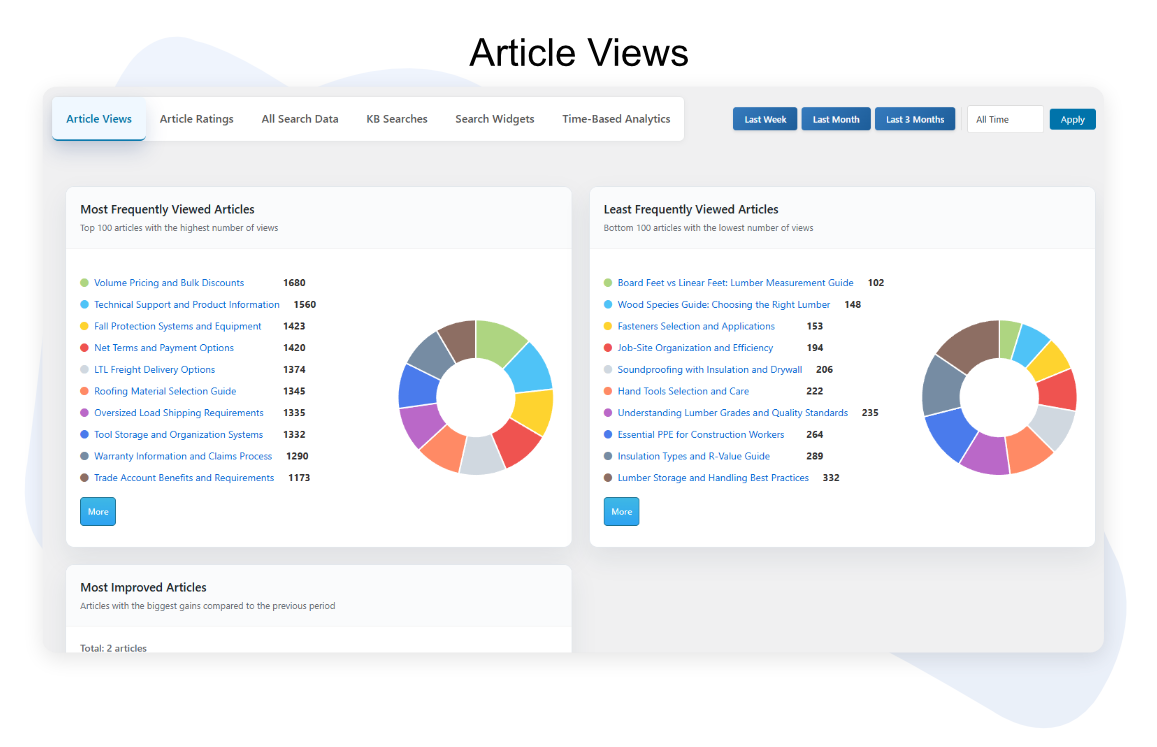
Article Views Analytics:
Displays view statistics for each article, including:
Most-viewed and least-viewed articles.
Fastest-growing articles based on recent view increases.
Articles with no or low engagement that may need updates.
Use this section to identify your top 100 articles and monitor changes in visibility over time.
Article Ratings
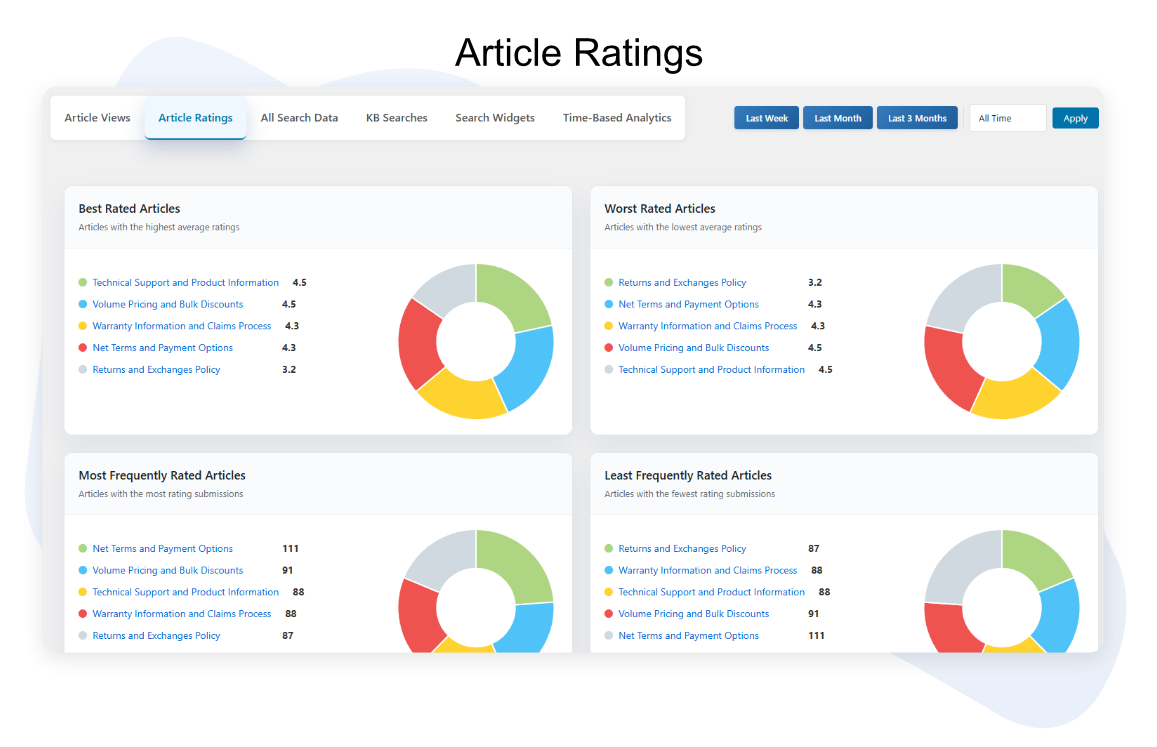
Shows how readers rate your articles.
You can view:
Highest-rated and lowest-rated articles.
Most-rated and least-rated articles to assess engagement levels.
Use these metrics to evaluate article quality, clarity, and helpfulness.
Search Behavior Insights:
Provides an overview of user search activity within the Knowledge Base.
This includes:
Popular search terms users enter most frequently.
Searches with no results, indicating missing or unclear content.
Overall search volume and trends over time.
These insights help ensure users can easily locate relevant information.

Time-Based Analytics
Displays article performance trends over time.
Charts show daily and weekly changes for:
Article views
Ratings
Search activity
Use the filters to compare time ranges and monitor content performance growth or decline.

0 out Of 5 Stars
| 5 Stars | 0% | |
| 4 Stars | 0% | |
| 3 Stars | 0% | |
| 2 Stars | 0% | |
| 1 Stars | 0% |