
Search Knowledge Base by Keyword
This KB documentation is using Advanced Search, Links Editor and Elegant Layouts add-ons.
-
Echo Knowledge Base
-
Add-ons
-
Access Manager
Article Layout
5 out Of 5 Stars
1 rating
| 5 Stars | 100% | |
| 4 Stars | 0% | |
| 3 Stars | 0% | |
| 2 Stars | 0% | |
| 1 Stars | 0% |
Overview
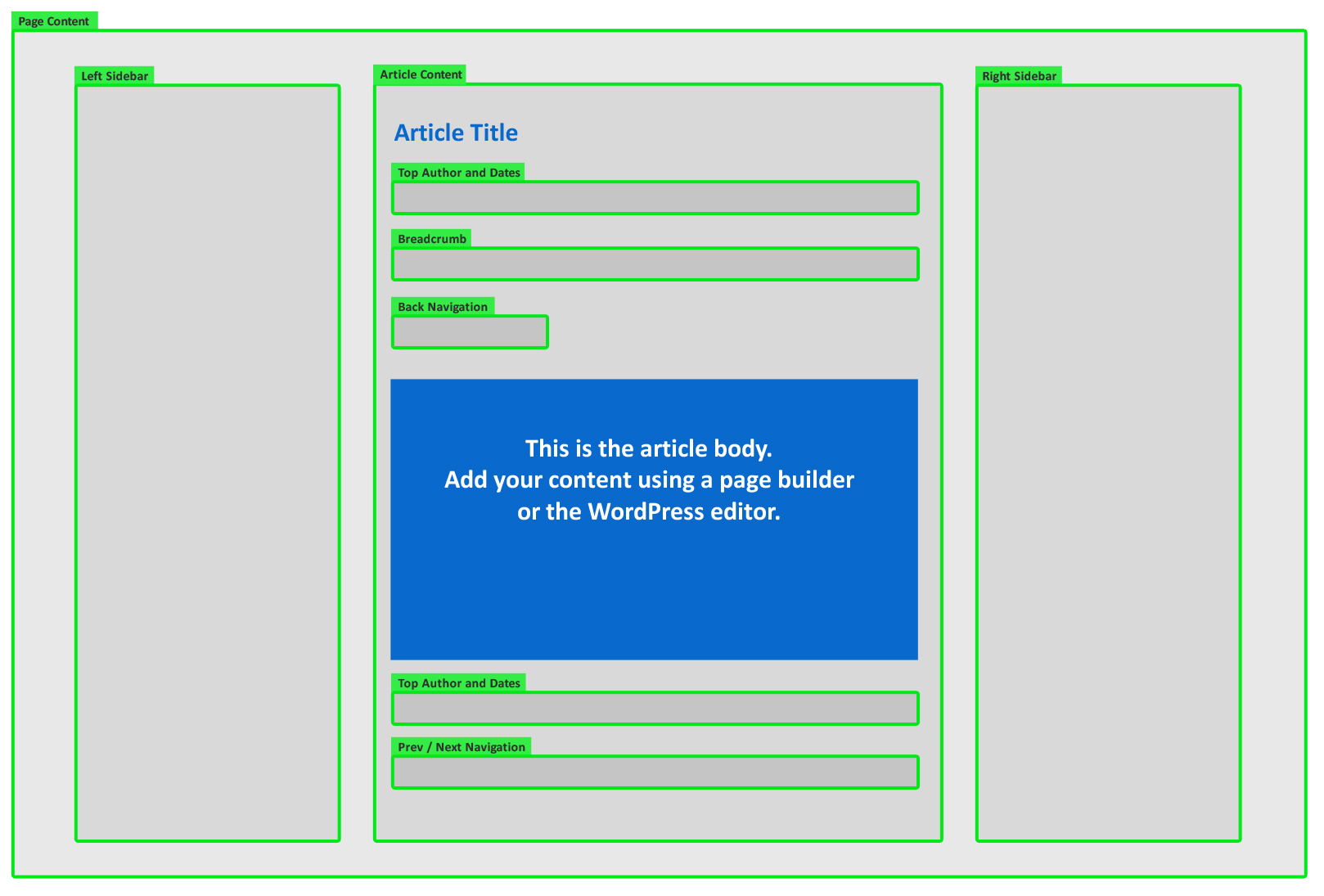
An Article Page is a WordPress post that forms part of your Knowledge Base. Each Article Page is assigned to one or more KB Categories.
An Article Page typically has the following sections:
- Article Title
- Left and/or Right Sidebar
- Back Navigation
- Breadcrumbs
- Posted Date
- Updated Date
- Author
- Print Button
Configuration
Open our frontend editor from the admin bar on the Article page, or navigate to Admin > Knowledge Base > Configuration > Settings.
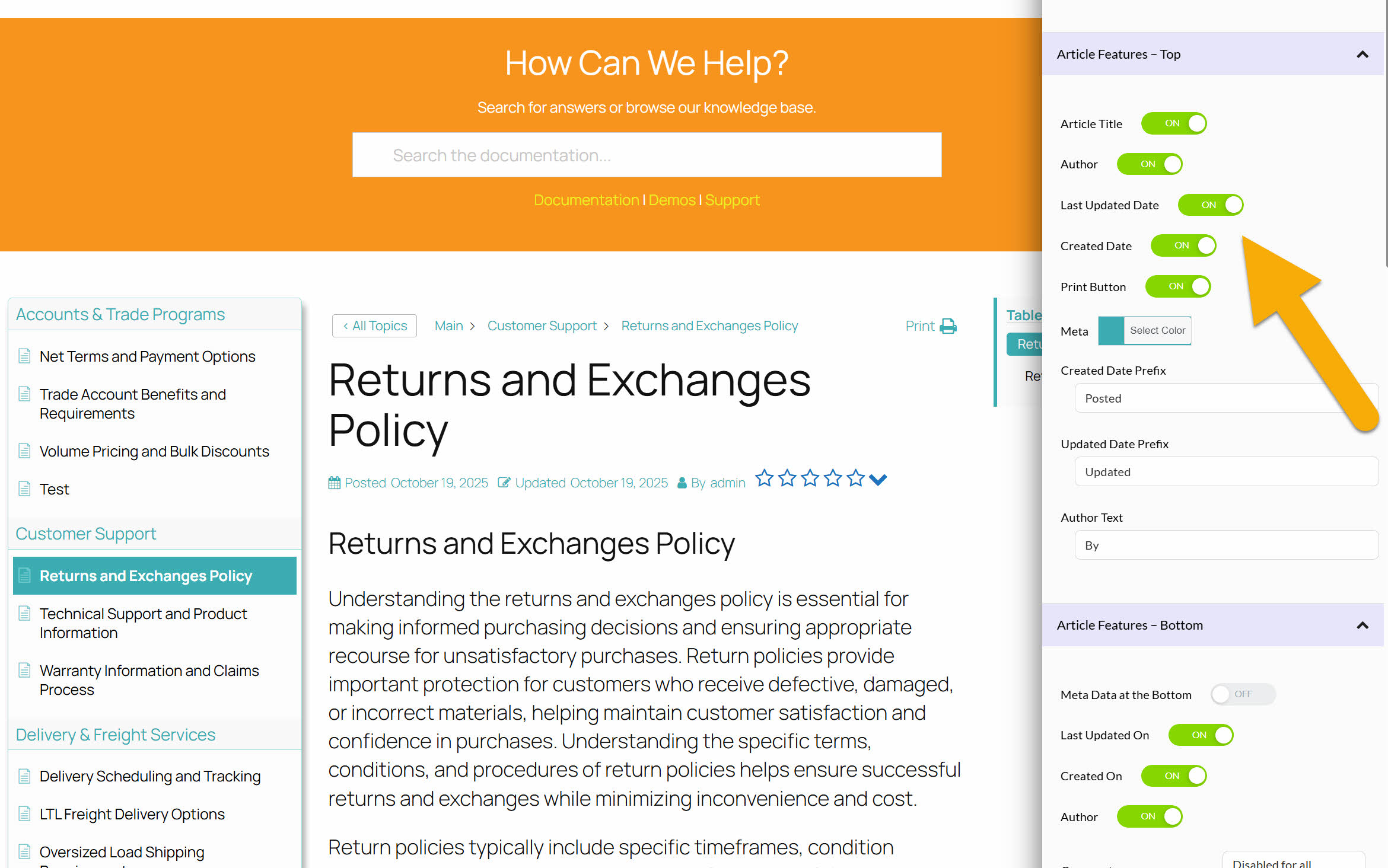
Article Page Elements
The following diagram illustrates the structure of an Article Page’s elements. See examples below:
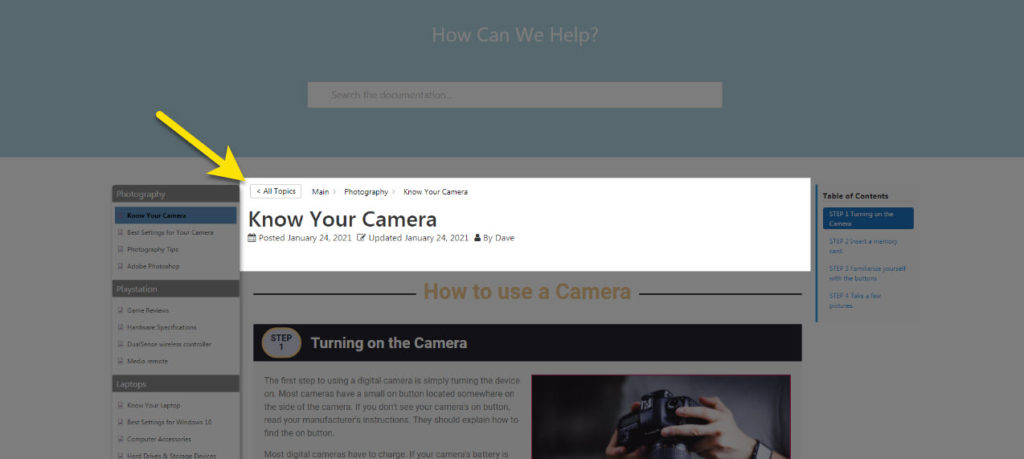
Information Above the Article Body
The following elements can be displayed directly above the article content: author, creation date, update date, print button, back button, and breadcrumbs.
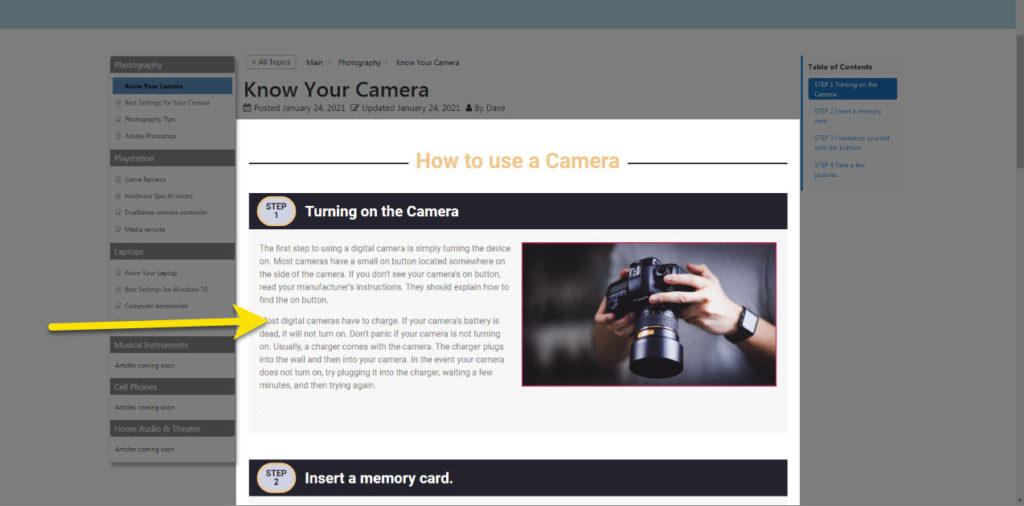
Article Content
The article’s main content is controlled by your chosen page builder: Elementor, Divi Page Builder, Gutenberg Editor, Visual Composer, or others.
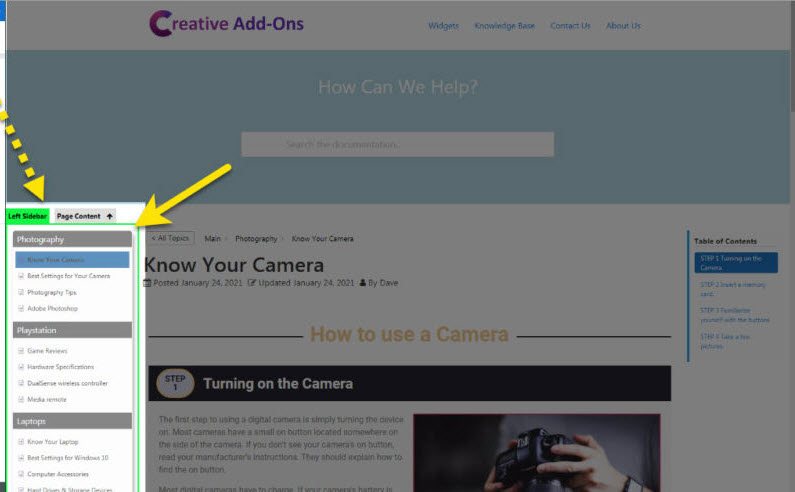
Left and Right Sidebars
Clicking on the Left or Right sidebar will bring up their settings. From here you can change background, colors, widths and more.
Advanced Article Configuration
An Article Page has several hooks that allow you to customize it further and add custom output:
5 out Of 5 Stars
1 rating
| 5 Stars | 100% | |
| 4 Stars | 0% | |
| 3 Stars | 0% | |
| 2 Stars | 0% | |
| 1 Stars | 0% |