
Search Knowledge Base by Keyword
This KB documentation is using Advanced Search, Links Editor and Elegant Layouts add-ons.
-
Echo Knowledge Base
-
Add-ons
-
Access Manager
PDF and Knowledge Base
0 out Of 5 Stars
| 5 Stars | 0% | |
| 4 Stars | 0% | |
| 3 Stars | 0% | |
| 2 Stars | 0% | |
| 1 Stars | 0% |
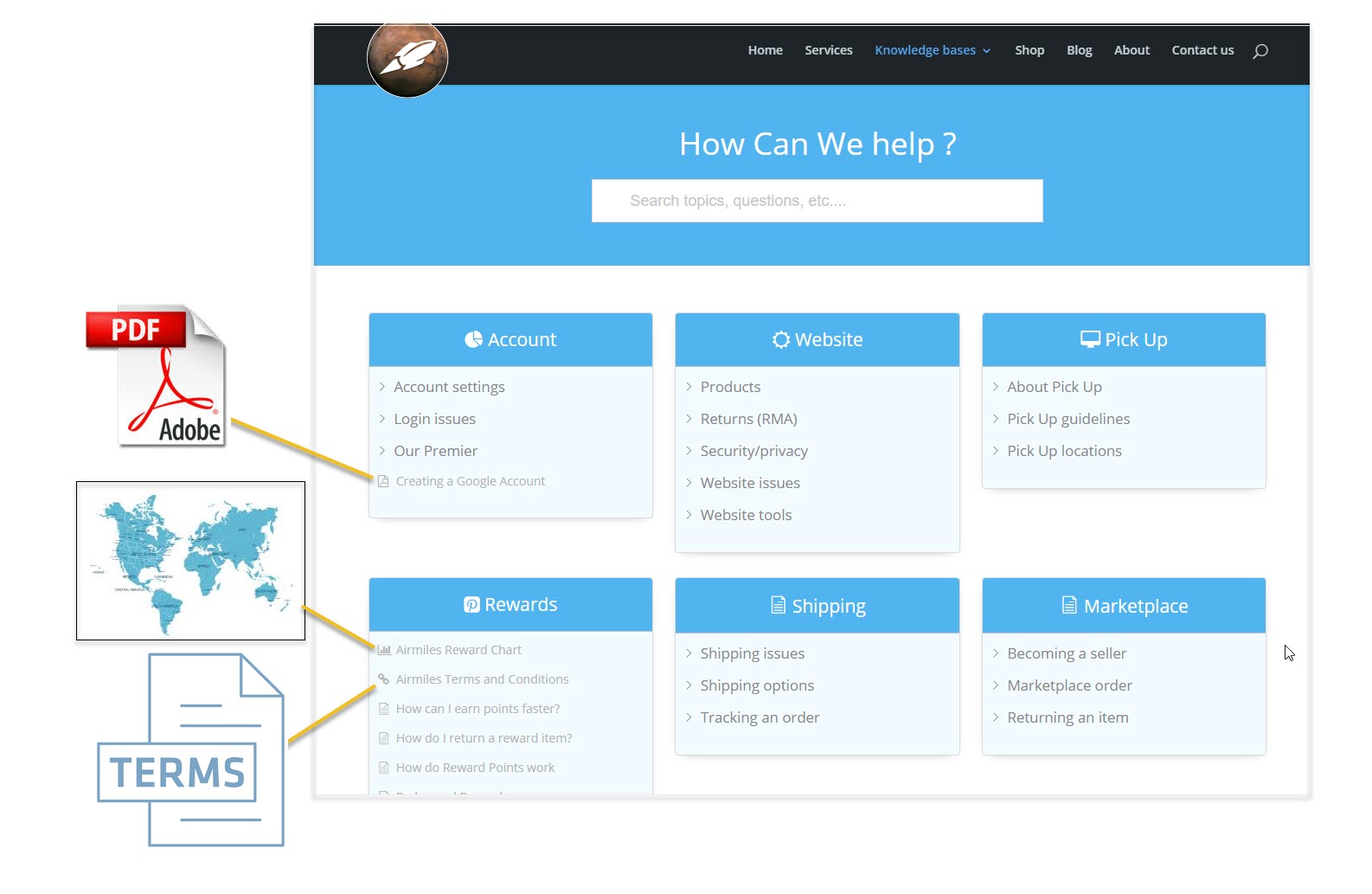
PDF documents can be linked to or embedded in articles. The following sections explain various options for handling PDF documents in your knowledge base.
a) Link to a PDF Document
The Links Editor plugin allows you to link to any PDF document. You can also attach keywords that will be found when searching the knowledge base. For details see the plugin details here and a demo of the PDF link click here.
b) Convert PDFs to Your Articles
Step 1
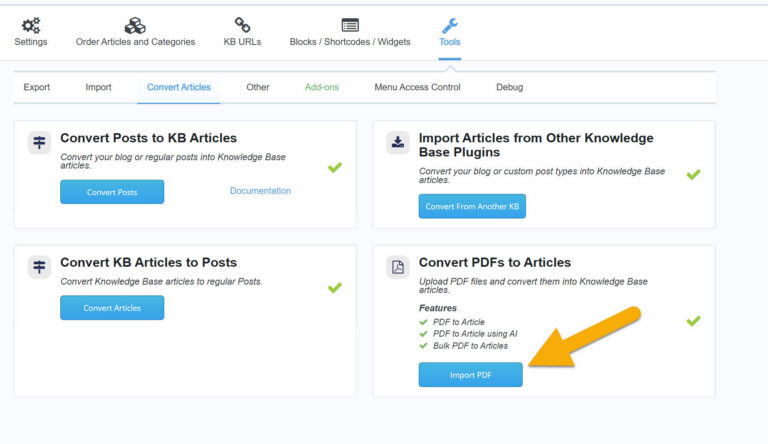
Go to Configuration -> Tools and select Convert PDFs to Articles
Step 2
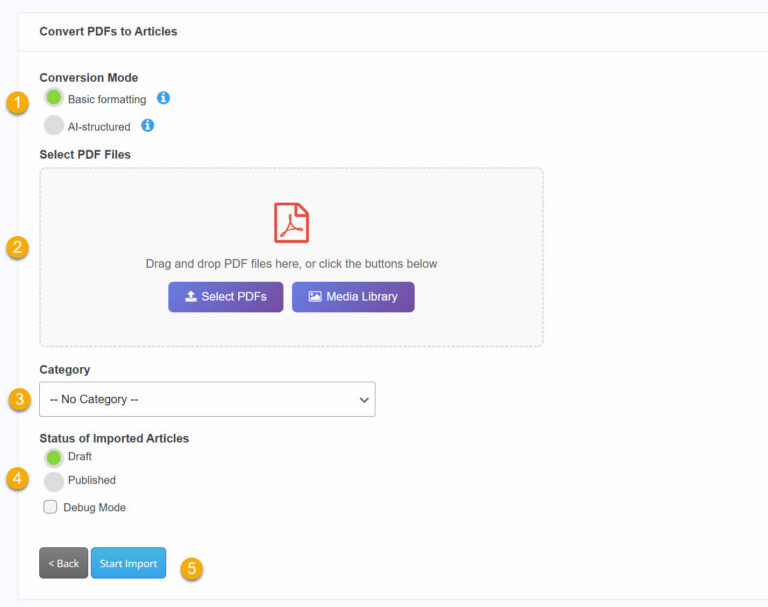
How to Convert PDFs to Articles
- Conversion Mode – Choose Basic formatting for simple text extraction or AI-structured for smarter formatting with
headings and structure. - Select PDF Files – Drag and drop your PDFs, click Select PDFs to upload from your computer, or choose from the Media
Library. - Category – Pick which Knowledge Base category the new articles will be placed in.
- Article Status – Set imported articles as Draft (for review) or Published (live immediately).
- Start Import – Click to begin converting your PDFs into articles.
Step 3
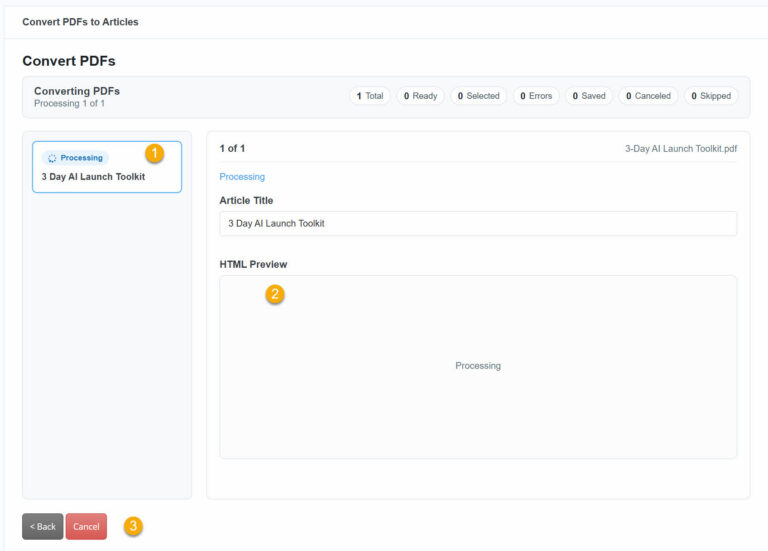
Converting PDFs
- PDF List – The left sidebar shows each uploaded PDF and its current status (e.g. Processing). Click a PDF to view its details.
- HTML Preview – Review the converted article title and HTML content. The status bar at the top tracks progress: Total, Ready, Selected, Errors, Saved, Cancelled, and Skipped.
- Actions – Click Cancel to stop the conversion or Back to return to the previous screen.
c) Add PDF to Your Articles
WordPress block editor (Gutenberg)
Learn how to add PDF to your articles in this video.
Step 1 Using the File Block

Open the WordPress block editor (Gutenberg), find the File block and add it to your article.
Step 2 Choose the PDF File

- Choose the Upload button.
- Choose the PDF file from your computer.
- Click on the Open button.
Step 3 Choose the PDF File

Once added, on the right sidebar choose which PDF options you wish to use.
Now that you have added the PDF, simply click update / publish and view it on the front end.
For full details on the Gutenberg File Block Click here.
d) Search PDF document
Currently, KB search cannot index a PDF document. However, you can:
- Use Advanced Search add-on to add appropriate tags to the article that contains an embedded PDF document.
- Use Links Editor add-on to link to a PDF document and specify keywords that will be searched for
0 out Of 5 Stars
| 5 Stars | 0% | |
| 4 Stars | 0% | |
| 3 Stars | 0% | |
| 2 Stars | 0% | |
| 1 Stars | 0% |