
Search Knowledge Base by Keyword
This KB documentation is using Advanced Search, Links Editor and Elegant Layouts add-ons.
-
Echo Knowledge Base
-
Add-ons
-
Access Manager
AI Chat with Human Handoff
0 out Of 5 Stars
| 5 Stars | 0% | |
| 4 Stars | 0% | |
| 3 Stars | 0% | |
| 2 Stars | 0% | |
| 1 Stars | 0% |
Give your visitors the best of both worlds, instant AI-powered answers with a seamless transition to human support when it matters most.
These settings are located under:
Knowledge Base → AI page → Chat tab → Settings tab → Human Handoff
AI Feedback Tracking & Analysis
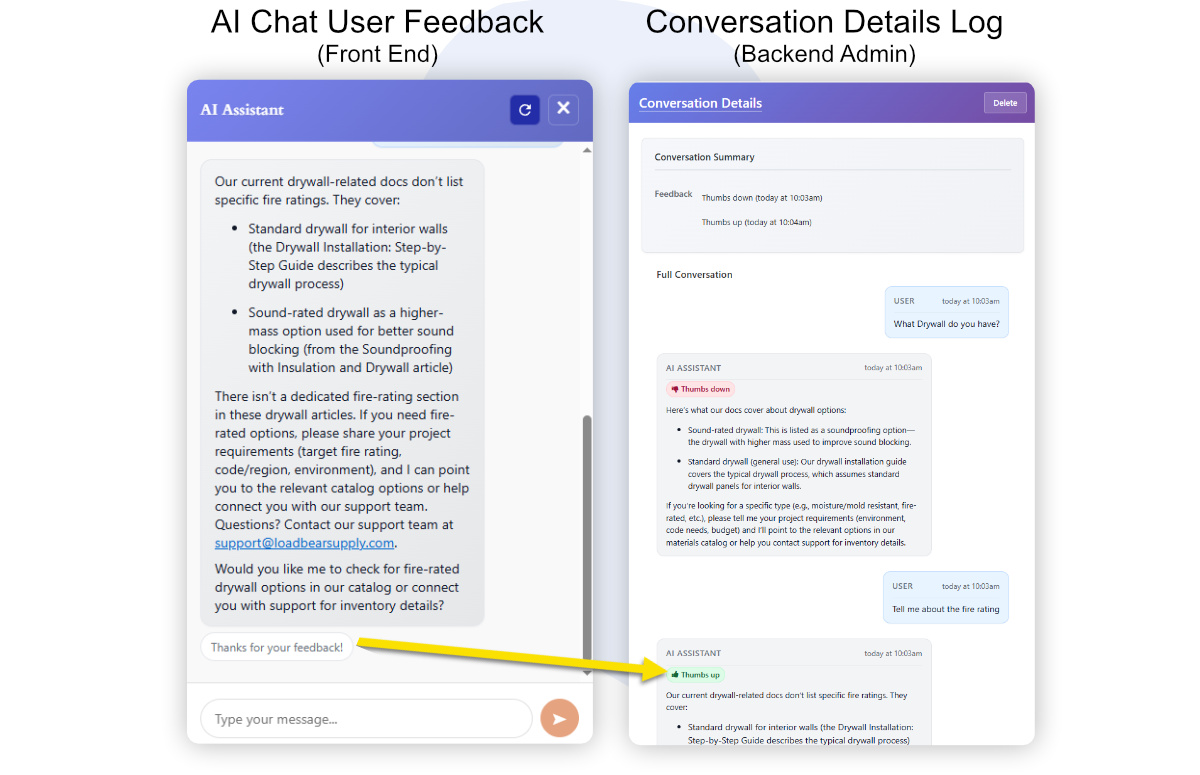
Capture thumbs up/down feedback on AI responses to measure user satisfaction and automatically guide next steps.
Feedback history is recorded in the backend, allowing you to analyze response quality and identify when AI training data needs to be updated or improved.
Seamless Human Handoff
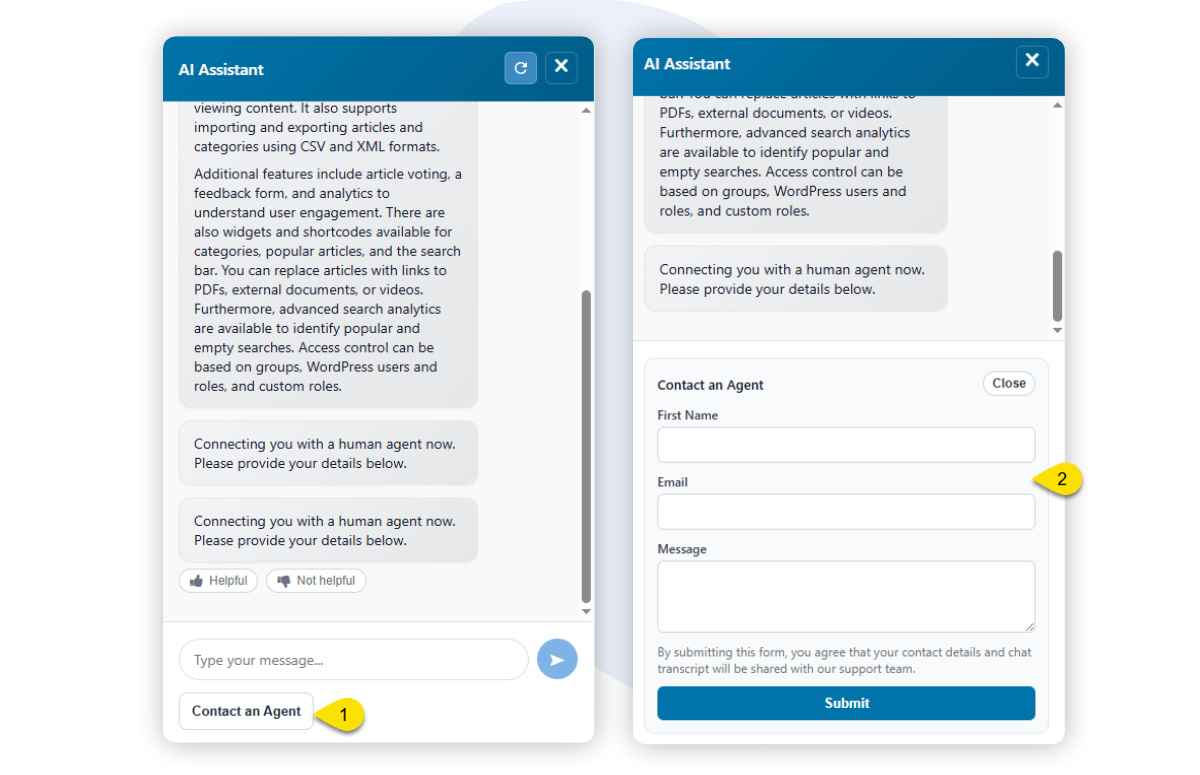
Allow visitors to transition from AI chat to a real human support agent without losing conversation context, ensuring a smooth and frustration-free support experience.
Negative Feedback Actions
When users are unhappy, present helpful follow-up options such as Try a different approach or Talk to a human, right when they need it.
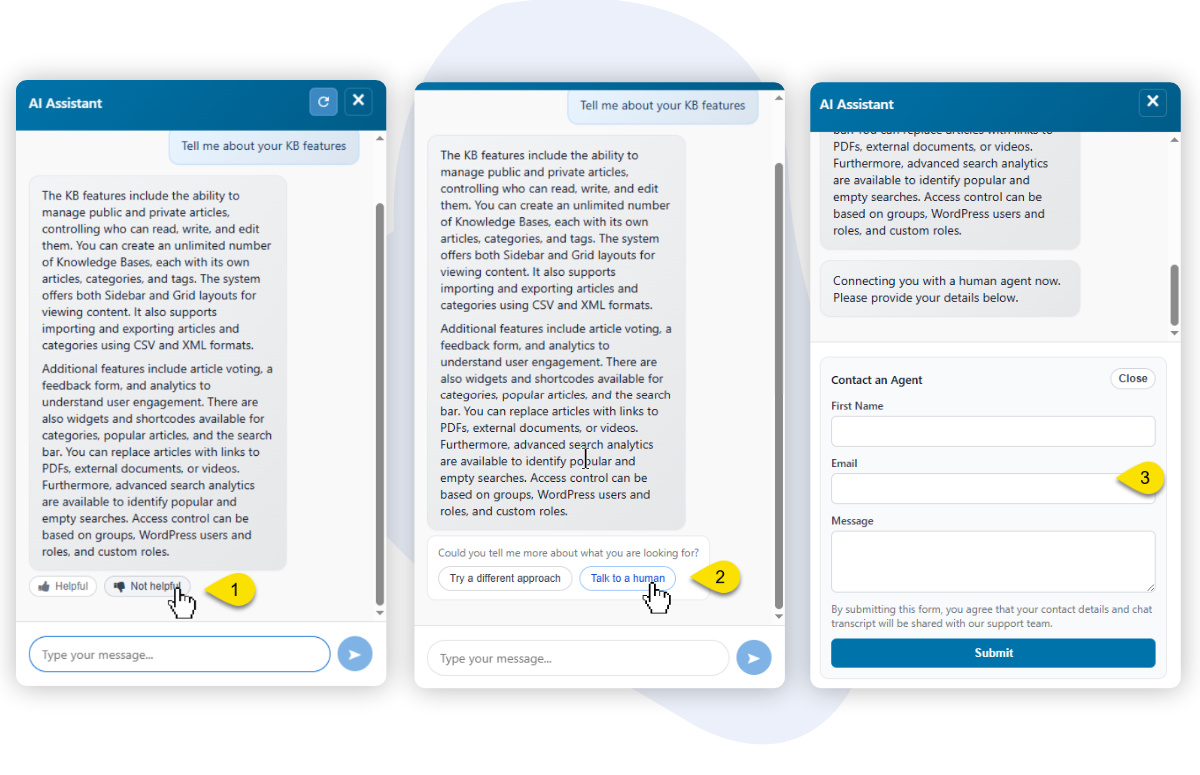
If the user is not satisfied with the response, they click Not Helpful.
The user then has the option to Talk to a human.
A contact form is displayed, allowing the user to submit their details and message. The AI conversation is also sent with the request.
Keyword-Based Handoff Triggers
Automatically surface the human handoff option when users include specific keywords or phrases, such as human, support, or talk to a real person, in their message.
0 out Of 5 Stars
| 5 Stars | 0% | |
| 4 Stars | 0% | |
| 3 Stars | 0% | |
| 2 Stars | 0% | |
| 1 Stars | 0% |